UAE E-Invoicing

UAE E-Invoicing Software and ERP Integration, Without Replacing Your ERP

You do not need a new ERP to meet the UAE e-invoicing rules. You need the system you already run, whether Tally, SAP Business One, Zoho Books, Odoo or a custom build, to produce complete, structured invoice data and pass it to the Accredited Service Provider (ASP) you appoint. We find the right connection for your system, build or configure it, and test it before your phase begins.

Tally, SAP Business One, Zoho, Odoo, customFree readiness checkWorks with the ASP you choose

We are not an ASP · We connect your ERP to the one you appoint · Scope-based quote after a free consultation

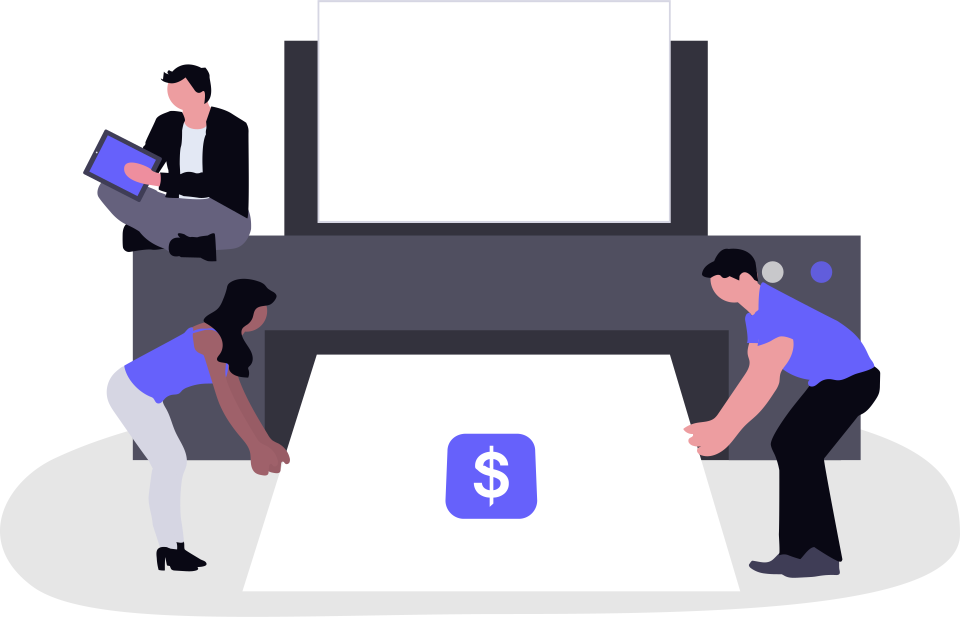
Invoice data synced from an existing ERP to a UAE e-invoicing service provider
FreeReadiness check
Keep your ERPNo forced migration
ERPs We Connect

Your Current ERP, Ready for E-Invoicing

Every ERP stores invoices differently, so the right route depends on the system you run. These are the ones we see most often in the UAE.

Tally Prime and Tally ERP 9

Tally holds the vouchers, but buyer TRNs, tax categories and item details are often typed into narration or not recorded at all. We tidy ledgers and stock items, then read invoice data through Tally’s XML or ODBC interfaces into a connector that sends it to your ASP. If your Tally partner offers a UAE add-on, we help you assess and test it instead.

SAP Business One

Invoices, credit notes and business partners read through the Service Layer or DI API, with user-defined fields added where the UAE data model needs details SAP Business One does not hold by default. The ASP’s status is written back to each document. SAP Business One services

Zoho Books and Zoho Inventory

First we check whether your Zoho edition already supports UAE e-invoicing. If it does, the work is master data and testing. If your invoices start in Zoho Inventory, Zoho Creator or another app, we build the bridge through Zoho’s APIs.

Odoo Community and Enterprise

We check what your Odoo version and UAE localisation already cover, then add the missing fields and the connection to your ASP through Odoo’s API or a small custom module that survives upgrades.

Custom and In-House ERP

Most in-house systems store invoices but not as structured data. We add structured output, an outbound queue with retries and status tracking. If the system cannot be extended safely, we say so and discuss a custom ERP.

Several Systems at Once

Groups that invoice from a POS, a trading ERP and a service billing tool get one integration layer, so every system sends invoices to the ASP the same way and your finance team sees one log.

Integration Routes

Three Ways to Connect Your ERP

We pick the route on risk, effort and your ERP version, not on what we prefer to build. Whichever route you take, the data work in the last column applies.

Vendor Feature

Module or add-on from your ERP vendorWe configure and test itLeast custom codeDepends on the vendor’s roadmap

Middleware Connector

Small service between ERP and ASPReads, maps, sends and tracks statusSuits Tally and older systemsOne log for several ERPs

Direct Build

Code added inside the ERP itselfSuits custom systems and OdooStatus shown on the invoice screenYou own the source code

Needed on Every Route

PINT AE field mappingClean TRNs and buyer detailsCredit notes linked to invoicesRejection and retry handling
Implementation

From Readiness Check to Live Invoices

The ASP runs the network. Our job is everything on your side of it.

01

Free readiness check

A short call and a look at sample invoices, credit notes and your customer master. You receive a written gap list.

Gap list
02

Choose the route

Vendor feature, middleware or direct build, agreed with you on effort, risk and your ERP version.

Agreed approach
03

Clean and map

Customer, supplier and item masters corrected, and every mandatory field mapped from your ERP.

Field map
04

Build and test with your ASP

The connection built and tested end to end on your ASP’s test environment, including rejections and credit notes.

Signed-off tests
05

Go live and hand over

The first live invoices watched with your finance team, and documentation handed to your IT staff.

Stable operation
Finance team preparing ERP invoices for UAE e-invoicing
Who It Is For

For UAE Businesses That Want to Keep Their Current ERP

Most UAE companies are not looking for a new ERP this year. They have years of data in Tally, SAP Business One, Zoho, Odoo or a system their own developer built, and their accounts team knows it well. E-invoicing changes what that system must send out, not necessarily the system itself.

For the background first, our UAE e-invoicing integration overview explains the five-corner model and what the ASP does. This page is about the practical work on your ERP. We meet clients at our Dubai office and build from our development team in India.

  • Traders and distributors on Tally
  • SAP Business One users with add-ons
  • Zoho Books and Zoho Inventory users
  • Odoo Community and Enterprise users
  • Companies on in-house or older billing software
  • Groups invoicing from more than one system
In Depth

Your ERP and UAE E-Invoicing, Step by Step

A readiness checklist for your existing ERP

Go through this list before you speak to an ASP or your ERP vendor. Every “no” is work that has to happen in your ERP, whoever you appoint.

1. Your master data

Structured e-invoices depend on records your ERP may never have needed to keep carefully.

  • Every B2B customer has a correct TRN or other identifier in a dedicated field, not inside the address
  • Legal names and addresses match the customer’s registration
  • Items and services carry a consistent tax category and unit of measure
  • Credit notes always reference the original invoice

2. Your invoicing process

Look at how invoices really leave the business today, not how the procedure says they should.

  • All tax invoices are created inside the ERP, not in Word or Excel
  • Manual and back-dated invoices are rare and controlled
  • Branches and POS terminals post into a known set of systems
  • Someone owns rejected invoices and knows how to correct them

3. Your ERP

Find out what the system can do before choosing a route.

  • Your ERP version, and whether the vendor or partner offers a UAE e-invoicing feature for it
  • Whether the ERP has an API, an export interface or database access we can use
  • Who is allowed to change the system: vendor, partner, in-house developer or nobody
  • Whether existing customisations will survive the next upgrade

4. Your ASP and your dates

E-invoicing in the UAE is being phased in by the Ministry of Finance together with the Federal Tax Authority, and the dates that apply to you depend on your phase. Schedules can be updated, so check the current official timetable on the Ministry of Finance e-invoicing page at mof.gov.ae/einvoicing and confirm your phase with your tax adviser.

  • You know which phase your business falls into
  • You have shortlisted or appointed an ASP from the Ministry’s accredited list
  • You know your ASP’s API and test environment requirements
  • You have left time to test before your go-live date
Samantha Technologies developer at work

Why Samantha Technologies

ERP Integration From People Who Build ERPs

We have built ERP, billing and POS software since 2007. We know how invoices are really stored inside these systems, which is where most e-invoicing problems start.

Honest About Our Role

We are not an Accredited Service Provider and take no commission from one. You choose and contract your ASP directly.

Your ERP Stays

We suggest replacing a system only when extending it would carry more risk or effort, and we explain why.

Vendor Options First

If your ERP vendor already offers a UAE e-invoicing feature, we tell you and help you use it.

18+ Years of Business Software

ERP, billing and POS systems that finance teams use every day.

Get Your Free Readiness Check

Pick the service, tell us which ERP issues your invoices, and we reply within one business day to arrange the check.

Proof, Not Promises

Real Work Behind Our Software and ERP

Live websites and systems our team built, which you can open and check yourself.

18+Years in business
1000+Projects delivered
350+Clients served
9+Countries served

59 live client websites among the 64 projects in our portfolio, including clients in Germany, Bahrain, UAE, Kuwait, UK.

Frequently Asked
Questions

Still have a question?

Talk to our team — the first consultation is free.

Book Free Consultation
Usually not. Most systems can be connected to an ASP through a vendor feature, a middleware connector or code added to the ERP. We recommend replacement only when the system cannot produce reliable data or cannot be changed safely.
In most set-ups, yes. Invoice data can be read from Tally and passed through a connector to your ASP, and some Tally partners offer add-ons. The bigger task is usually cleaning ledgers and stock items so every invoice carries the right buyer and tax details.
Perhaps not. If the vendor’s feature covers all your invoice types, you mainly need clean master data and proper testing. Businesses still come to us for that clean-up, for customisations the vendor will not touch, or for systems the vendor does not cover.
No. ASPs are accredited by the UAE Ministry of Finance. We prepare your ERP and connect it to the ASP you appoint, and we take no commission from any provider.
E-invoicing is being phased in by the Ministry of Finance with the Federal Tax Authority, and your date depends on your phase. Check the current official schedule on the Ministry of Finance e-invoicing page and confirm your phase with your tax adviser.
Nothing. It is a free consultation with a written gap list. Build work is quoted on scope afterwards, once we know your ERP, your invoice volume and the route you choose.
Free Readiness Check

Keep Your ERP.
Get It Ready for E-Invoicing.

Start with a free readiness check of your ERP and invoice data.

Back to top Call +91 98944 14299 Chat on WhatsApp